

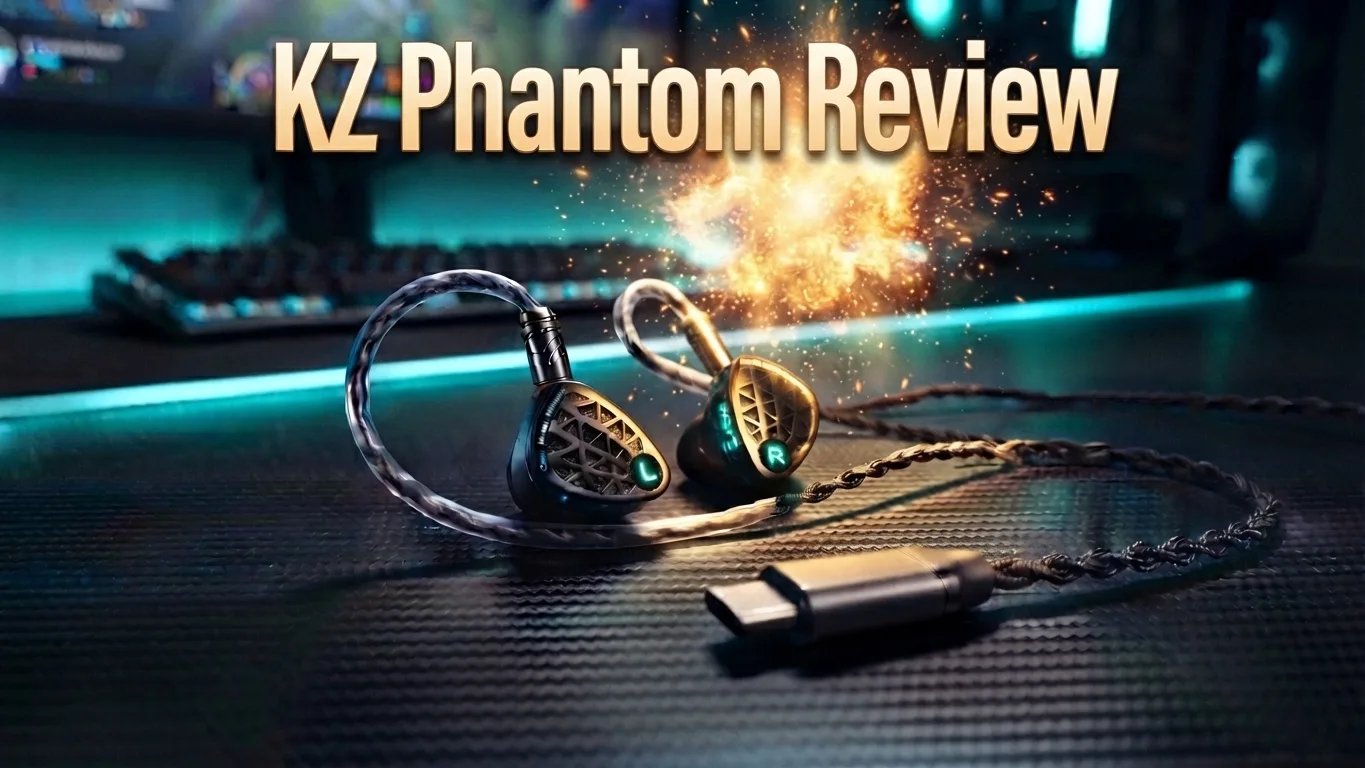
The KZ Phantom is positioned as a direct upgrade to the popular KZ Zenith, arriving right as the audio world shifts heavily toward competitive gaming. Knowledge Zenith is marketing this set as pro esports-level gear, especially the Type-C variant that comes with an integrated DSP digital-to-analog converter and headphone amplifier built straight into the connector.
After putting the Phantom through its paces across music listening, calls, and competitive gaming sessions, the question is simple: does the Phantom actually outperform the Zenith, and is it worth your money?
- Best for: Competitive FPS gaming, mobile gaming, and daily music listening.
- Price: ~$41 (Standard 3.5mm) / ~$46 (Type-C DSP Version).
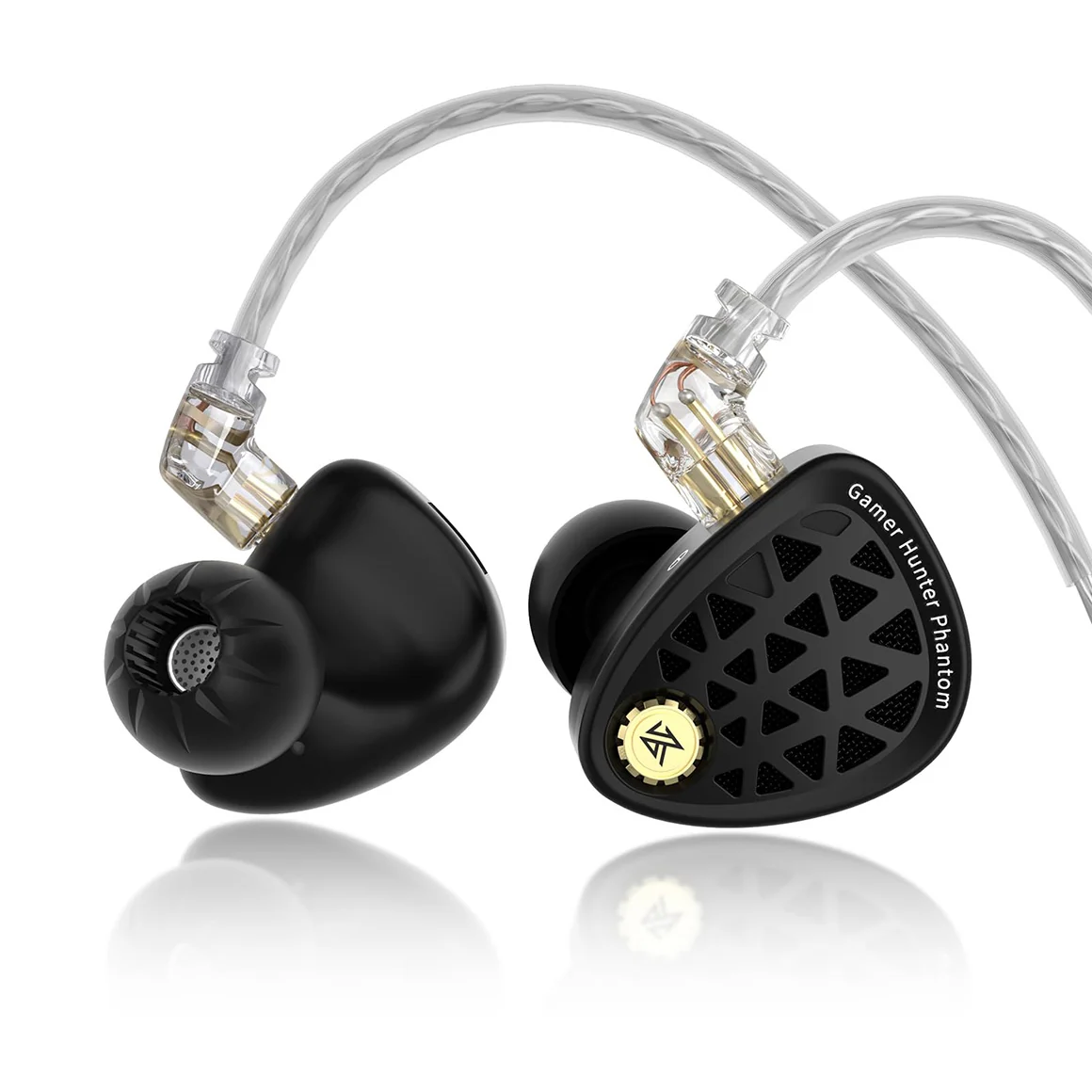
KZ Phantom Specifications
| Specification | Details |
| Driver Configuration | Single 10mm “Dome Core” 2nd-gen ultra-linear dynamic driver (multilayer nano-composite diaphragm) |
| Frequency Response | 20 Hz – 40,000 Hz |
| Impedance | 41 Ω |
| Sensitivity | 128 dB ± 2 dB |
| Connector Type | 0.78 mm 2-Pin (Recessed / Hooded QDC profile) |
| Shell Construction | Full-metal zinc alloy die-cast cavity with semi-open rear acoustic mesh |
| Cable Variants | Standard 3.5 mm analog OR Type-C (integrated DSP sound card / DAC / Amp) |
| Microphone Setup | Dual-microphone array with dedicated physical mute slider |
| Hardware Tuning | 4-position physical DIP switches (3 bass levels + 1 high-frequency attenuation) |
Pros
Cons
Unboxing
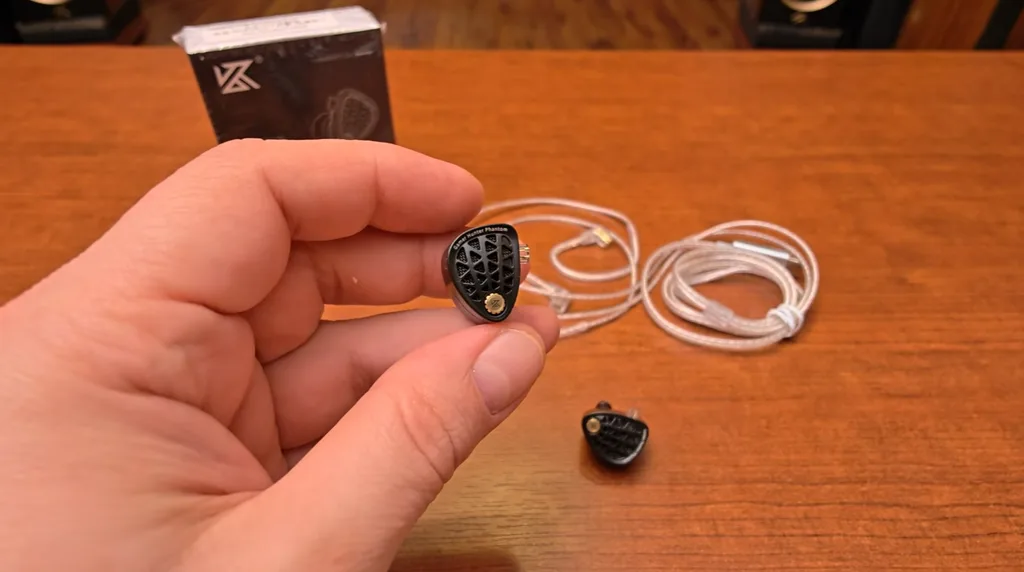
Packaging is standard, functional KZ: a compact box containing the IEMs, the cable, silicone ear tips, and a small metal tuning pick to flip the DIP switches. It is a no-frills package, but it includes everything you need to get set up immediately.
Build Quality
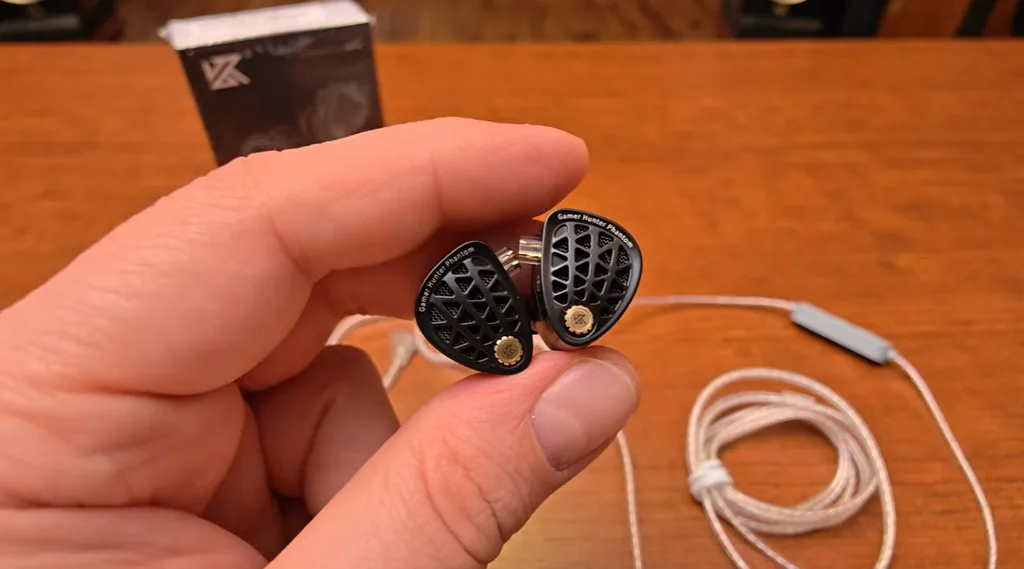
The build quality on the Phantom is a massive highlight. Unlike the cheap plastic shells common in budget earphones, the Phantom uses a solid, all-metal housing that feels exceptionally sturdy.
Down on the faceplate screw, you’ll spot a subtle KZ logo alongside the “Gamer Hunter Phantom” print. The nozzle is relatively long with a protective metal mesh, ensuring ear tips stay securely anchored without slipping.
Looking closely at the faceplate cutouts, you will see a fine wire mesh. These earphones are semi-open, allowing internal pressure release and contributing to a more natural acoustic presentation.
Comfort & Fit
Because the shells are made entirely of metal, they carry noticeable weight when you first pick them up. When you insert them, they might feel slightly cold and heavy in your ears for the first 10 to 15 minutes.
However, once the metal reaches your body temperature, the weight essentially disappears. The ergonomic contours settle naturally against the ear, making them comfortable for multi-hour gaming and listening sessions without painful pressure points.
Also Checkout: KZ EDX Pro Review
Cable Quality
The included cable is soft, flexible, and completely free from distracting microphonics (cable rustle). It terminates in standard gold-plated 0.78 mm 2-pin connectors.
The microphone module is significantly upgraded compared to standard IEM cables:
- Dual-Microphone Array: Uses dual mics for improved voice pickup during game chat and calls.
- Dedicated Physical Mute Switch: Most IEM cables only have a single button for play/pause and answering calls. The Phantom cable adds a dedicated physical slider switch to mute and unmute your microphone instantly—a massive quality-of-life feature for Discord and in-game comms.
Hardware Tuning: DIP Switches & Type-C DSP Modes
Customization is front and center with the KZ Phantom, giving you two separate ways to tweak your sound.
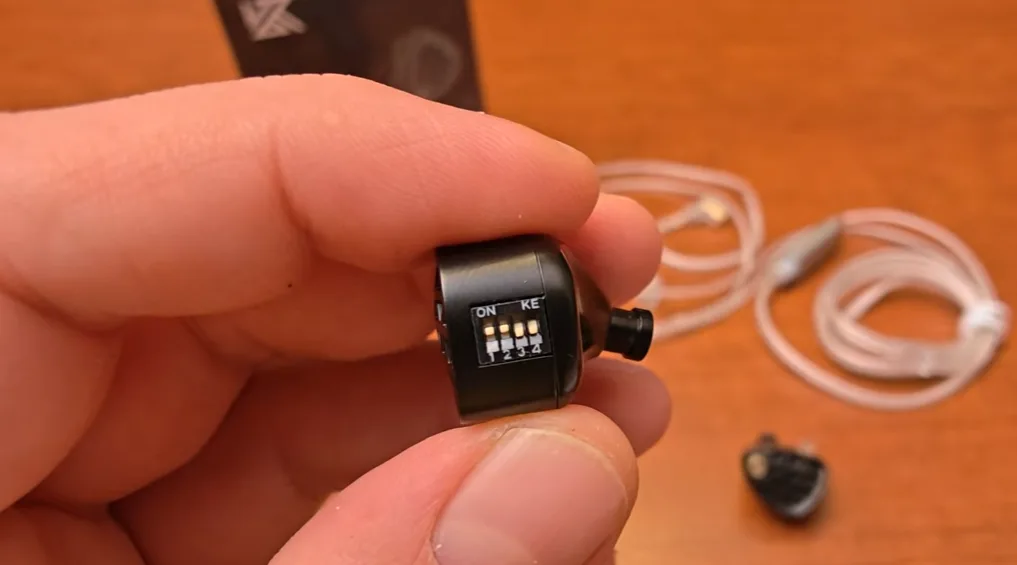
The 4 Physical DIP Switches
On the side of each shell, four micro-switches adjust the internal crossover:
- Switches 1, 2, and 3 (Bass Levels): Each switch adds approximately 1 dB of bass boost. Switch 1 adds +1 dB, Switch 2 adds another +1 dB, and Switch 3 adds a third +1 dB.
- Switch 4 (Treble/Mid Reduction): Turning switch 4 ON lowers the mid-range and treble. This subjectively makes the bass feel even heavier by rolling off the top end.
My Preferred Hardware Setting: Switches 1 and 2 ON, Switches 3 and 4 OFF. This adds a solid, punchy low-end shelf while keeping the mid-range and treble completely open and uncompromised.
The Type-C DSP DAC Profiles
If you purchase the Type-C version, the connector housing contains a digital-to-analog converter and headphone amplifier with an LED indicator button. Pressing the small gray switch cycles through 4 profiles:
- Purple (Neutral / DSD Bypass): The best overall setting. Clean, balanced, transparent, and uncolored.
- Green (Gaming Mode): The second-best setting. Adds extra clarity and pushes the mid-range forward to highlight footsteps and gunshots. A bit forward for music, but very effective for games.
- Red (Immersive Gaming Mode): Drops the bass and sharpens the mid-range and treble. Extreme clarity for tactical FPS, but too crisp and fatiguing for music.
- Blue (Hi-Fi Mode): A colored tuning with a mild boost, though purple remains the superior choice for pure clarity.
(Note: The DSP draws so little power that some smart power banks may not register it as an active load).
Sound Quality
Bass Performance
Warmth is the immediate impression here. There is plenty of bass on tap—so much so that I preferred dialing the switches down to tame it slightly.
The low end is organic, punchy, and noticeably faster and more precise than the older Zenith. It gives kick drums and explosions plenty of impact without spilling over into a slow, muddy mess. While it doesn’t reveal the microscopic bass texture of higher-end gear, it is well-controlled and fun.
Midrange & Vocals
The midrange is tuned for long-term comfort. The Zenith was slower and softer in the vocals with lower resolution; the Phantom retains that relaxed, easygoing nature but injects much-needed speed and clarity.
While competitive purists might want a touch more bite in the lower mids, trading raw aggressiveness for a non-fatiguing, smooth vocal presentation makes sense for anyone wearing these through long work or gaming stretches.
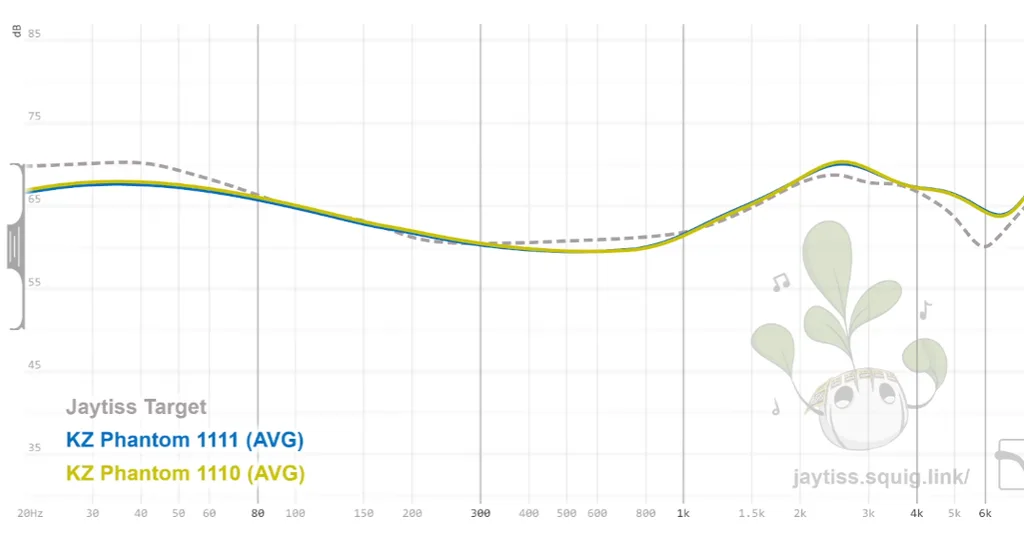
Treble Performance
Treble is where the Phantom makes its biggest leap over the Zenith. The Zenith was restrained and rolled off at the top end, costing it speed and sparkle.
The Phantom is open, airy, and delivers satisfying “zing” when the track or game demands it. Cymbals and metallic effects have crisp definition without becoming harsh or splashy.
Soundstage & Directional Imaging
The soundstage has an oval geometry: substantially wider than it is deep. Extreme left and right sounds frequently project outside of your head.
While depth layering is fairly modest (distinguishing exact front-to-back distance), horizontal directionality is pinpoint accurate. For esports, identifying whether an enemy is hard-left, center, or right matters most—and the Phantom locates those cues instantly.
Source Matching & Scaling: 3.5mm vs. Type-C
Pay close attention to source matching if you buy the 3.5mm analog version.
With an impedance of 41 ohms and an unusually high sensitivity of 128 dB, the Phantom is very sensitive to output noise. Plugging the 3.5mm model straight into an inexpensive laptop or PC motherboard jack may introduce background hiss. You will want a clean, quiet source.
Scaling Potential: When hooked up to an aftermarket 4.4mm balanced cable and a dedicated digital audio player (like the FiiO M15s), the Phantom scales up noticeably. Bass gains tighter grip and deeper precision, while overall background clarity and transparency take a clear step forward.
Also Checkout: Type-C vs 3.5mm
KZ Phantom vs. KZ Zenith
- Build: Both use solid metal shells, but the Phantom feels slightly more refined in its finish.
- Tuning: The Zenith is warmer, darker, and more laid-back. The Phantom brings more speed, more open treble air, and crisper transients.
- Technicalities: The Phantom clearly wins in detail retrieval and horizontal soundstage width.
- Verdict: The Phantom is the definitive upgrade over the Zenith.
Final Verdict: Is the KZ Phantom Worth It?
The KZ Phantom successfully builds upon the foundation of the Zenith, fixing its closed-in treble while maintaining a warm, engaging character.
At $41 for the standard 3.5mm version and $46 for the Type-C DSP version, spending the extra $5 is an absolute no-brainer. That small difference gets you a built-in DAC/amp, 4 switchable EQ presets, and a dual-microphone cable with a dedicated hardware mute switch.
If you are looking for a rugged, all-metal in-ear monitor under $50 that delivers pinpoint directional cues for gaming and an enjoyable, fatigue-free sound for music, the KZ Phantom is an easy recommendation.
FAQs
Yes, for competitive gaming and resolution. The Phantom tightens low-end bloat, opens up the treble, and delivers faster transients. However, the Zenith remains the better choice for listeners who prefer a darker, warmer, and laid-back sound.
Yes. Its forward upper-midrange (2 kHz–4 kHz) sharpens footstep and reload cues, while the wide horizontal soundstage provides precise lateral tracking. However, vertical imaging (hearing enemies above or below) is only average.
Get the Type-C DSP version. For about $5 more, you get an integrated DAC/amp, four hardware sound profiles, and a dual-mic cable featuring a dedicated physical mute slider for Discord and mobile gaming.
The most popular configuration is 1-1-0-0 (Switches 1 & 2 ON, 3 & 4 OFF) or 1-1-1-1 (all ON). This boosts the bass shelf to balance out the driver’s energetic upper-mid presence without clouding instrument separation.
No. The bundled silicone tips are flimsy and prone to breaking the acoustic seal. Upgrading to aftermarket tips like TRI Clarion (for treble clarity and nozzle grip) or KBEAR 07 (for a fuller bass seal) significantly improves sound and stability.
This is almost always caused by moisture condensation or a clogged nozzle filter. Because the shell is solid metal, body heat causes humidity to collect on the acoustic mesh. Storing the IEM with silica gel packets or cleaning the filter typically fixes it.
No. With a high sensitivity of 128 dB, it runs easily off smartphones and PC ports. However, due to that sensitivity, plugging the 3.5mm analog model into a cheap, noisy motherboard jack may cause audible background hiss.